Examples / Invoicing & Finance
๐Ÿงพ  Invoicing & Finance

Invoicing & Finance.

Build finance reports, create and correct invoices, and post them โ€” with a full validation shown before anything is committed.

EXAMPLE 01

Finance report by company and currency

You askReport posted customer invoices, credit notes, vendor bills, payments, receivables, and payables by company and currency.

What you get backProduces a two-level breakdown โ€” per company and per currency โ€” across invoices, credit notes, bills, payments, receivables and payables.
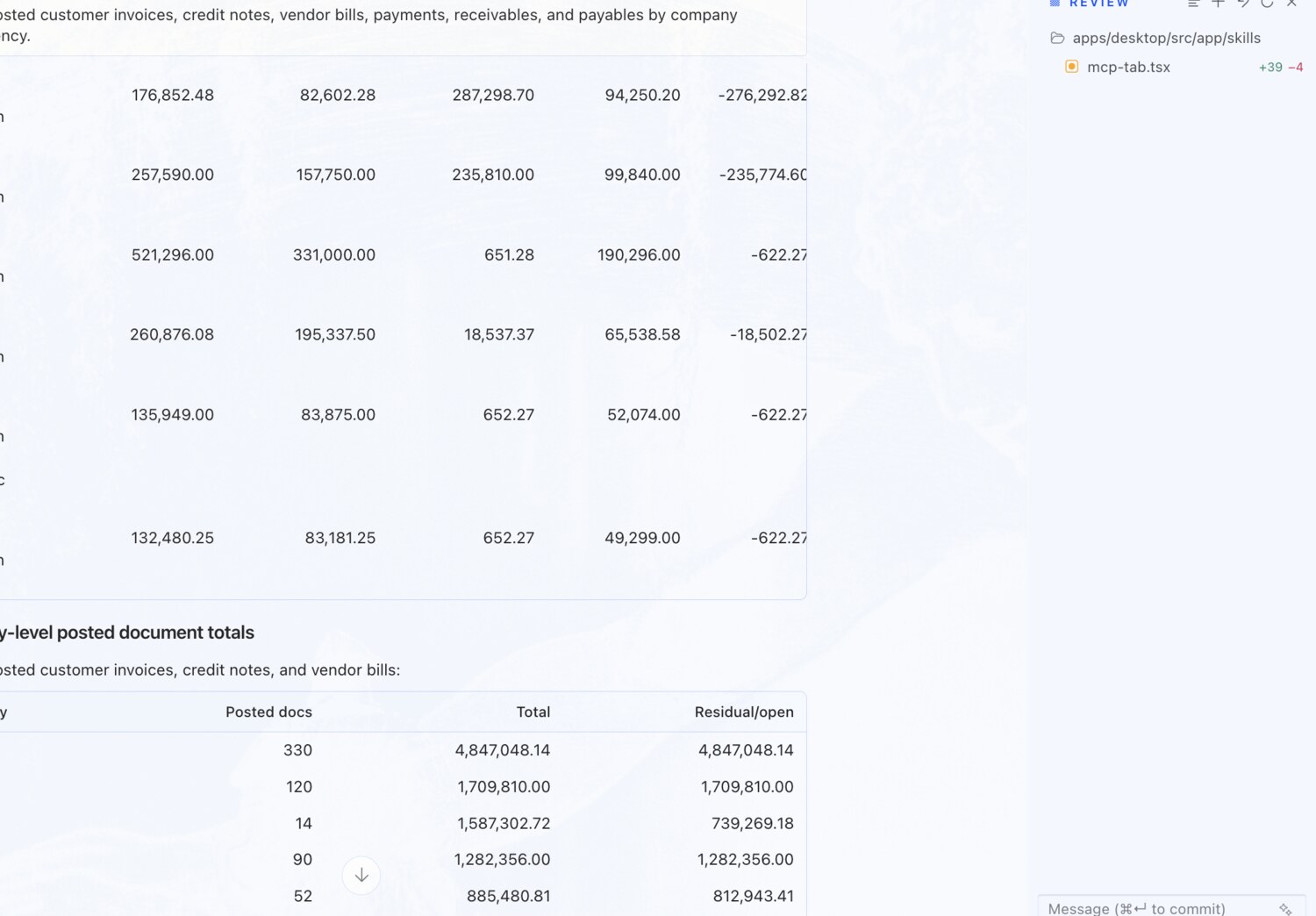
Finance report by company and currency โ€” erpAIbridge agent screenshot โŒฅ click to enlarge
EXAMPLE 02

Aged receivables with ageing buckets

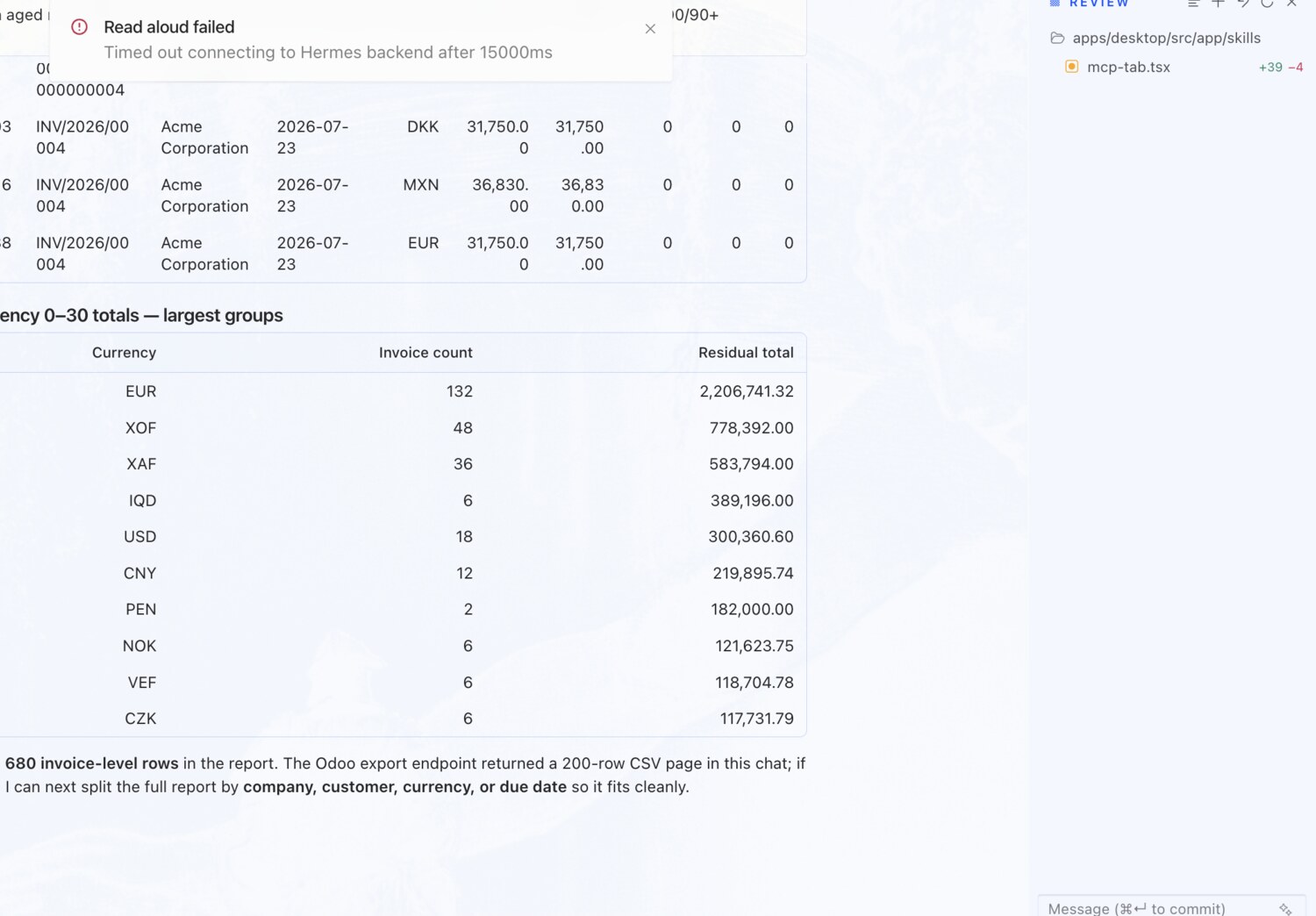
You askCreate an aged receivable report with invoice IDs, due dates, residual amounts, and 0-30/31-60/61-90/90+ buckets.

What you get backBuilds a per-invoice aged-receivables view โ€” invoice number, customer, due date, residual and the four ageing buckets โ€” with real record IDs behind each row.

Aged receivables with ageing buckets โ€” erpAIbridge agent screenshot โŒฅ click to enlarge
EXAMPLE 03

Detect duplicate invoices โ€” with evidence

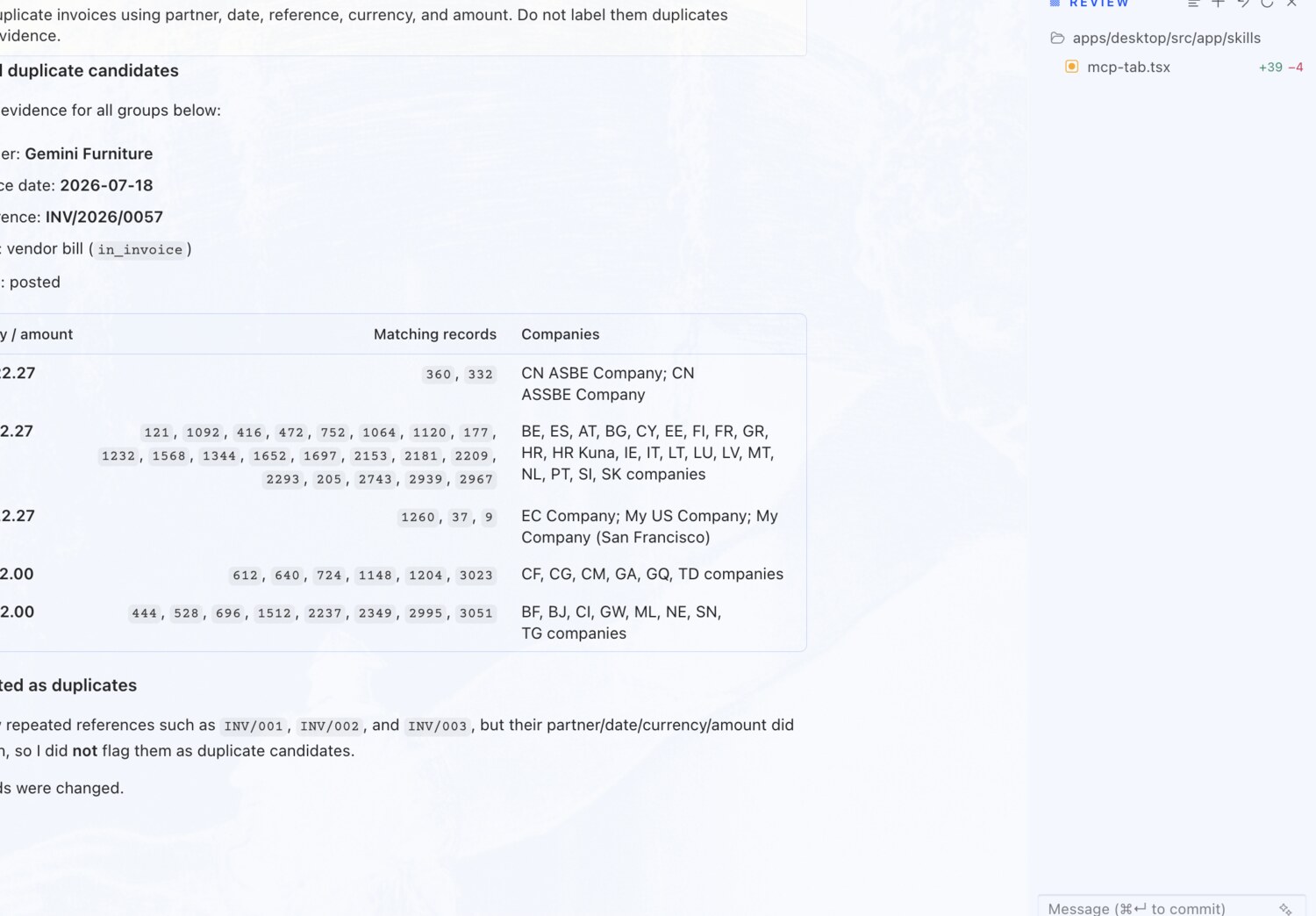
You askDetect duplicate invoices using partner, date, reference, currency, and amount. Do not label them duplicates without evidence.

What you get backRuns a multi-pass scan over hundreds of invoices and bills, grouping by an exact five-field match, and only flags pairs it can back with the matching fields.

Detect duplicate invoices โ€” with evidence โ€” erpAIbridge agent screenshot โŒฅ click to enlarge
EXAMPLE 04

Create a draft customer invoice

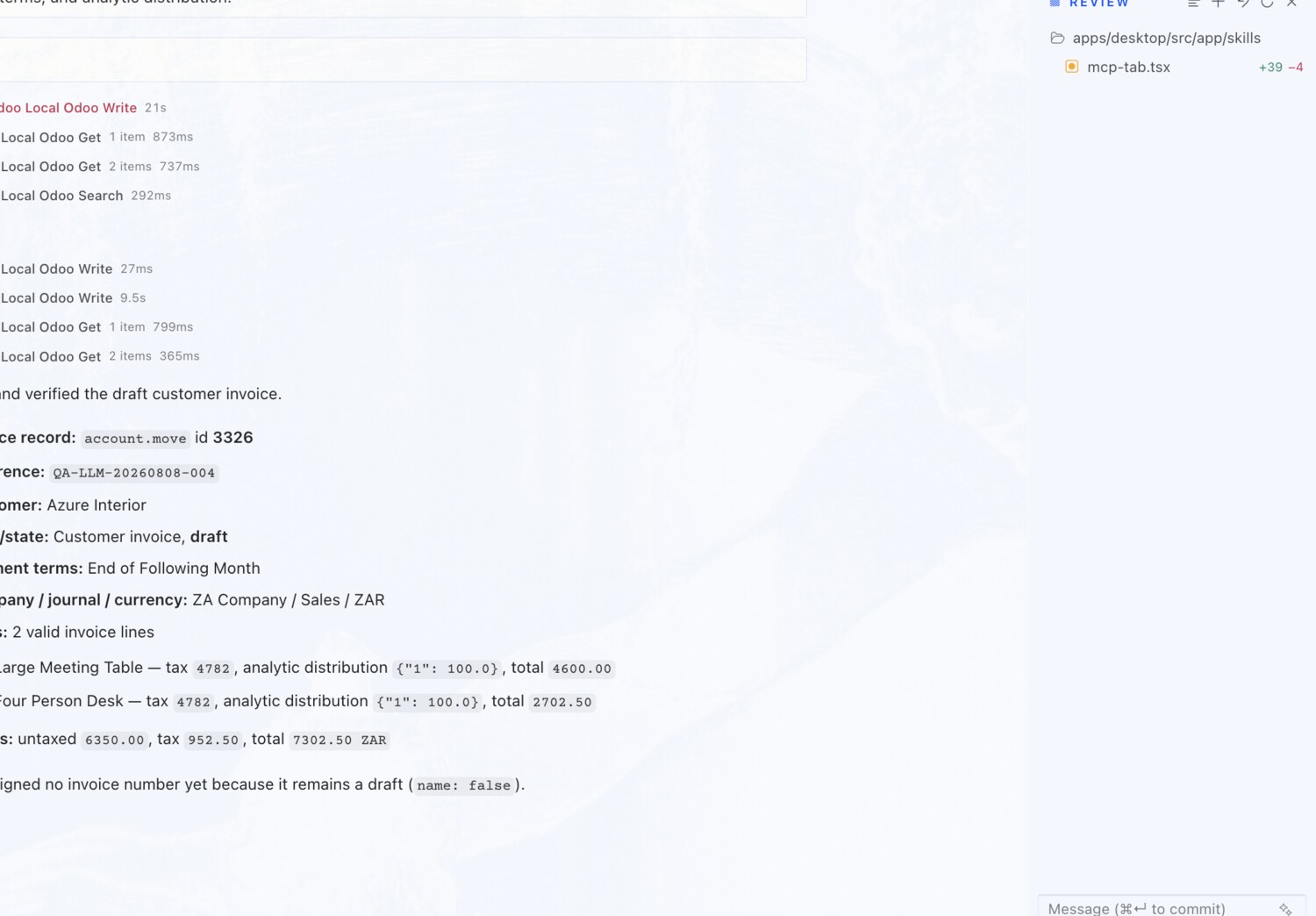
You askCreate a draft customer invoice from Azure Interior using two valid invoice lines, taxes, payment terms, and analytic distribution.

What you get backPresents the full plan โ€” customer, lines, taxes and terms โ€” previews it, and creates the invoice as a draft after approval.

Create a draft customer invoice โ€” erpAIbridge agent screenshot โŒฅ click to enlarge
EXAMPLE 05

Correct an invoice reference and due date

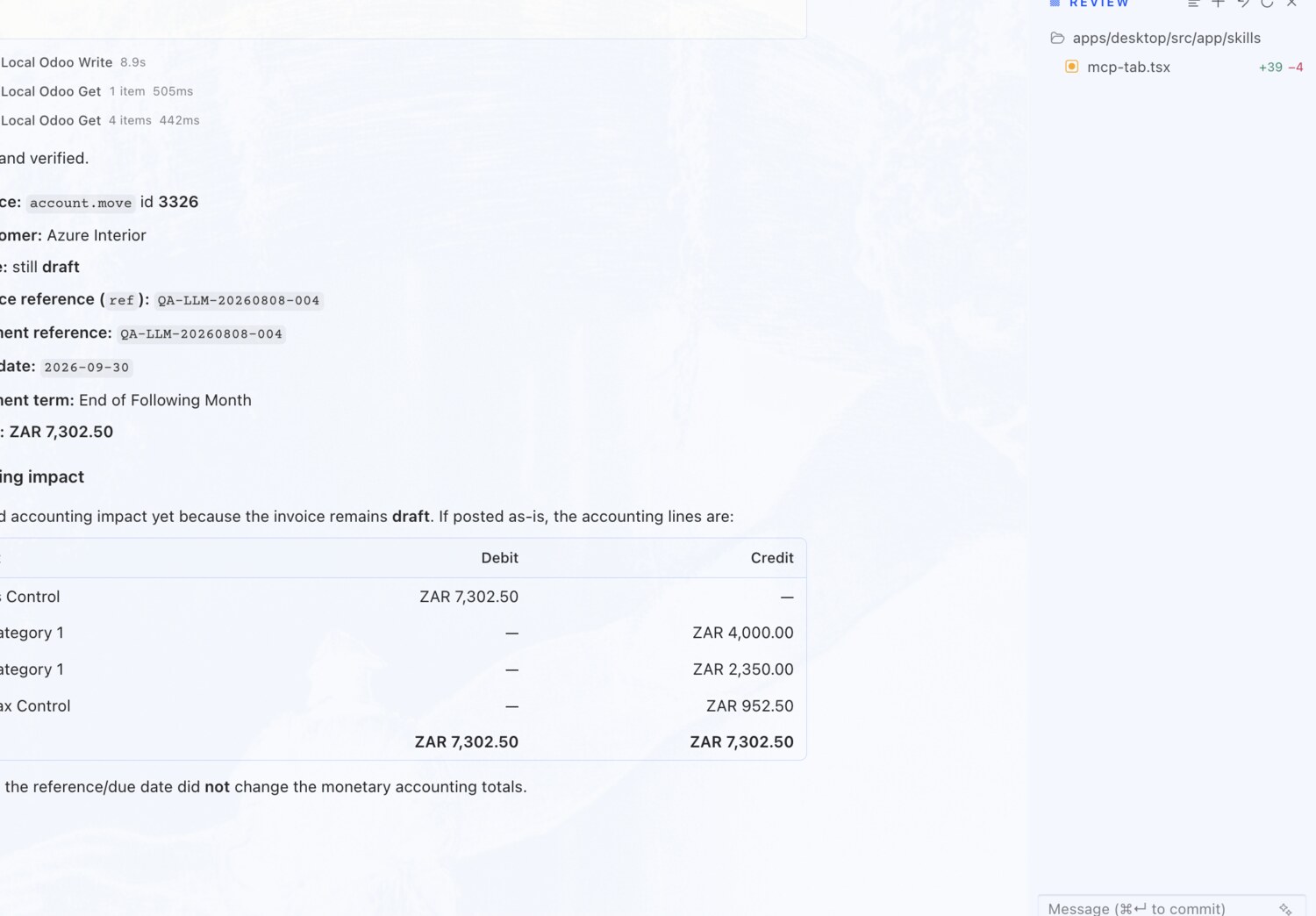
You askCorrect the invoice reference and due date while it is draft. Show the accounting impact.

What you get backSets the payment reference, confirms the due date matches the payment term, and shows the accounting impact โ€” while the invoice is still a safe draft.

Correct an invoice reference and due date โ€” erpAIbridge agent screenshot โŒฅ click to enlarge
EXAMPLE 06

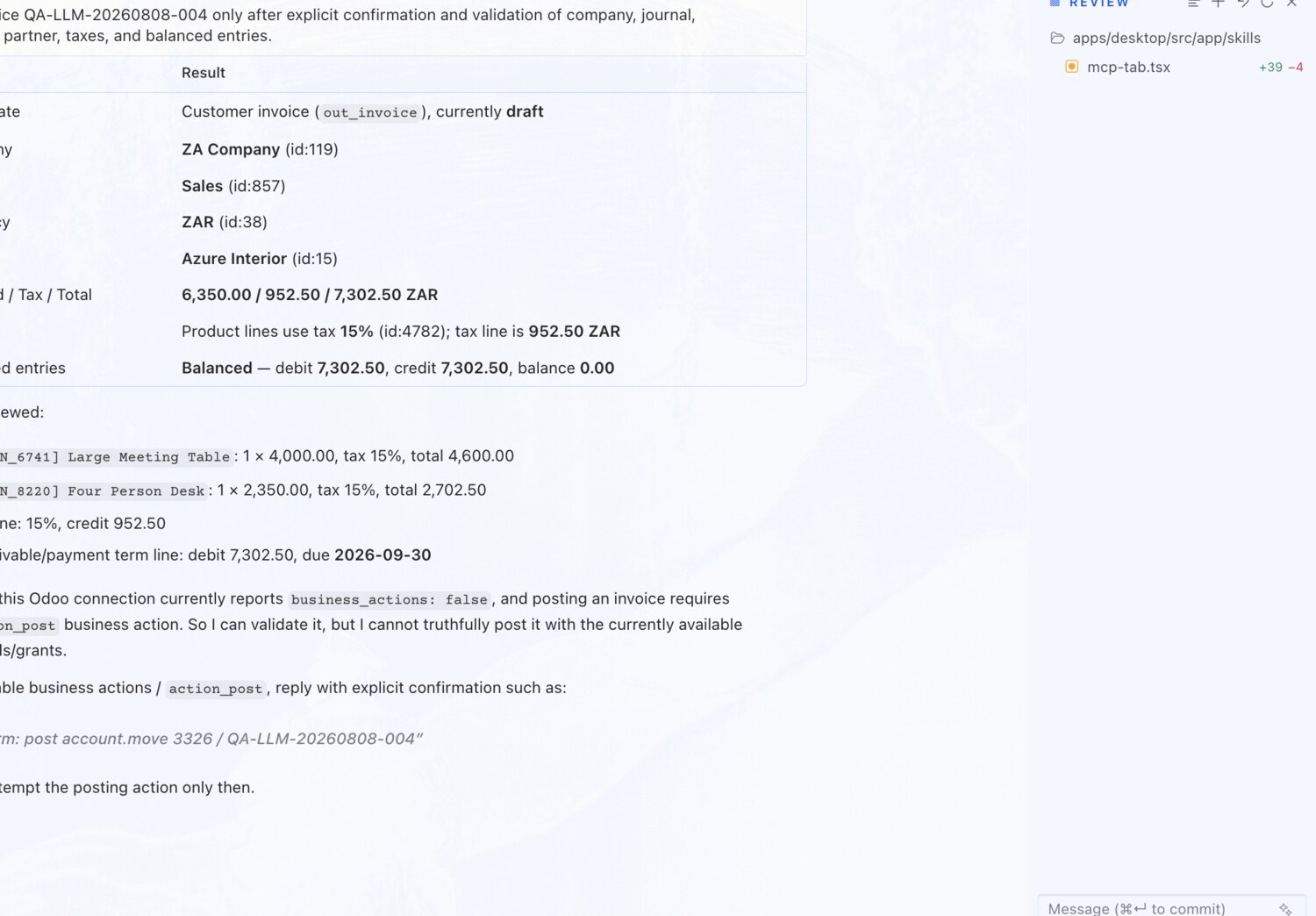
Post an invoice โ€” after a full validation

You askPost the invoice only after explicit confirmation and validation of company, journal, currency, partner, taxes, and totals.

What you get backLays out a validation table โ€” company, journal, currency, partner, taxes and totals โ€” and only posts once you confirm.

Post an invoice โ€” after a full validation โ€” erpAIbridge agent screenshot โŒฅ click to enlarge
Try these on your own Odoo →