Examples / Contacts & Customers
๐Ÿ‘ฅ  Contacts & Customers

Contacts & Customers.

Find duplicates, create and update contacts, set customer/vendor flags, and archive โ€” grounded in real records, never guesses.

EXAMPLE 01

Find duplicate contacts with confidence scoring

You askFind duplicate contacts using normalized email, phone, tax ID, and company name. Explain why each pair is a likely duplicate. Limit to the top 10.

What you get backReturns ten ranked candidate pairs with real record IDs and a confidence level for each, explaining exactly which fields match.
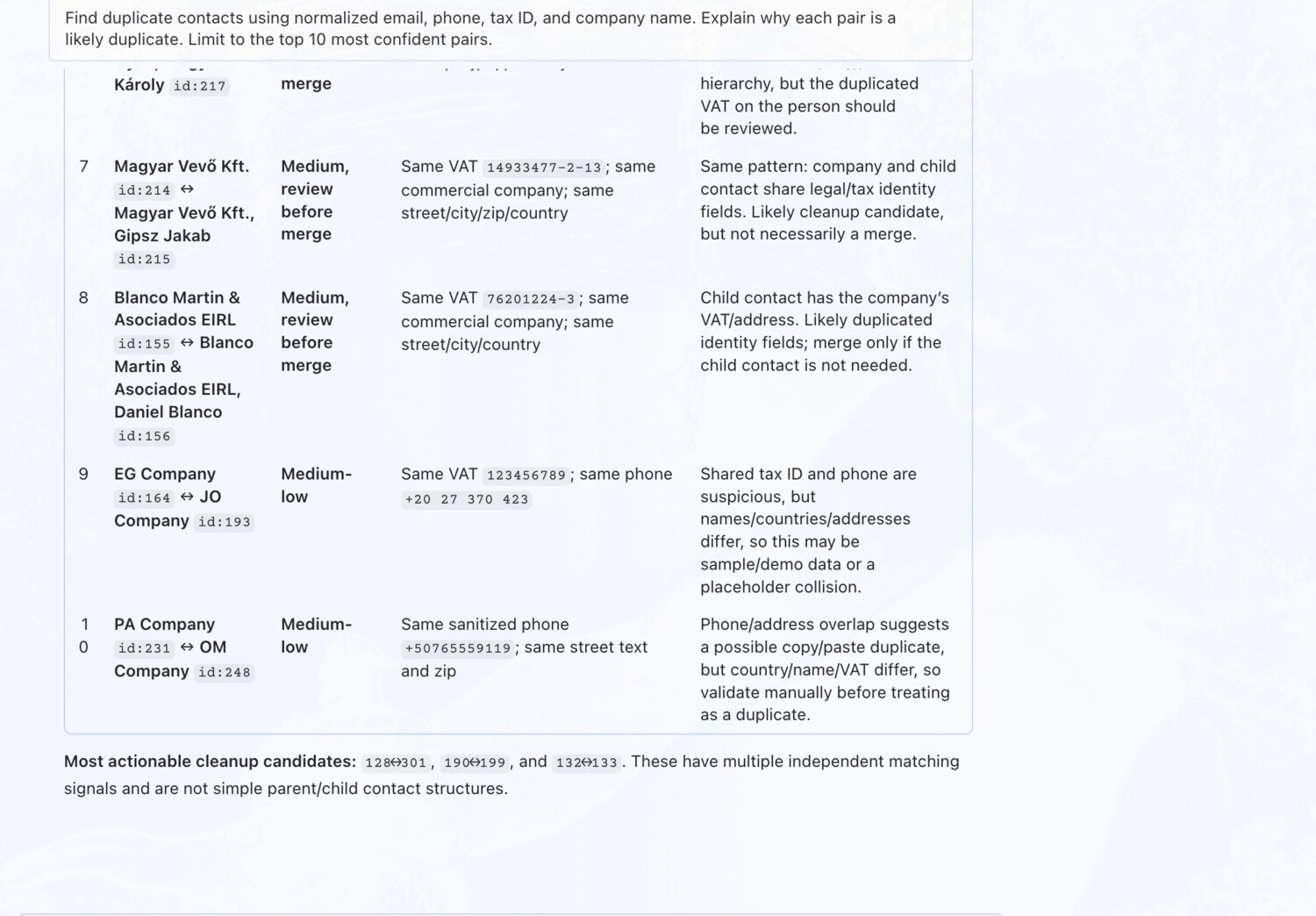
Find duplicate contacts with confidence scoring โ€” erpAIbridge agent screenshot โŒฅ click to enlarge
EXAMPLE 02

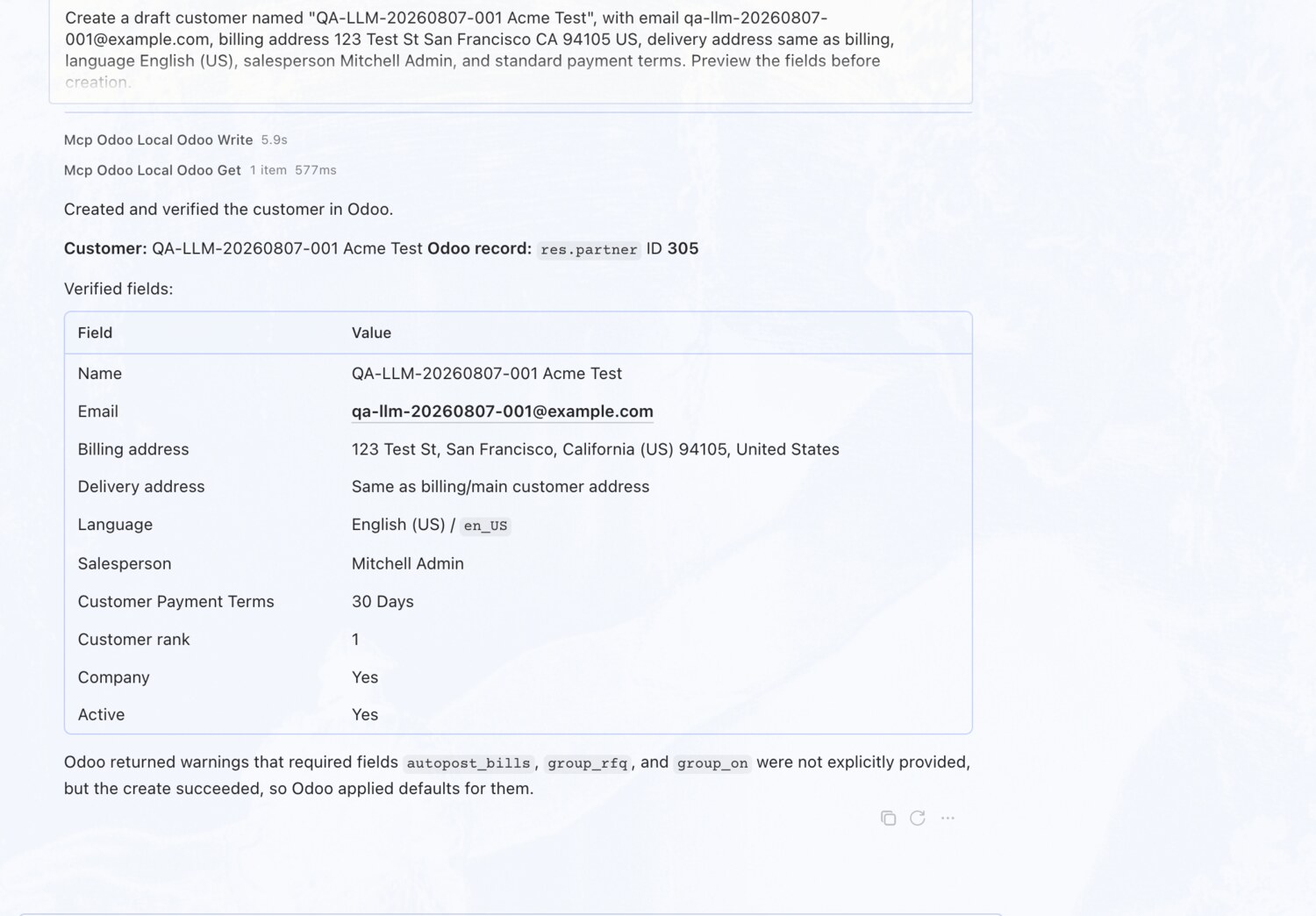
Create a draft customer with addresses and terms

You askCreate a draft customer with email, billing address, delivery address, language, salesperson, and standard payment terms.

What you get backResolves the salesperson, language and payment terms to real records, previews the contact, and creates it as a draft after approval.

Create a draft customer with addresses and terms โ€” erpAIbridge agent screenshot โŒฅ click to enlarge
EXAMPLE 03

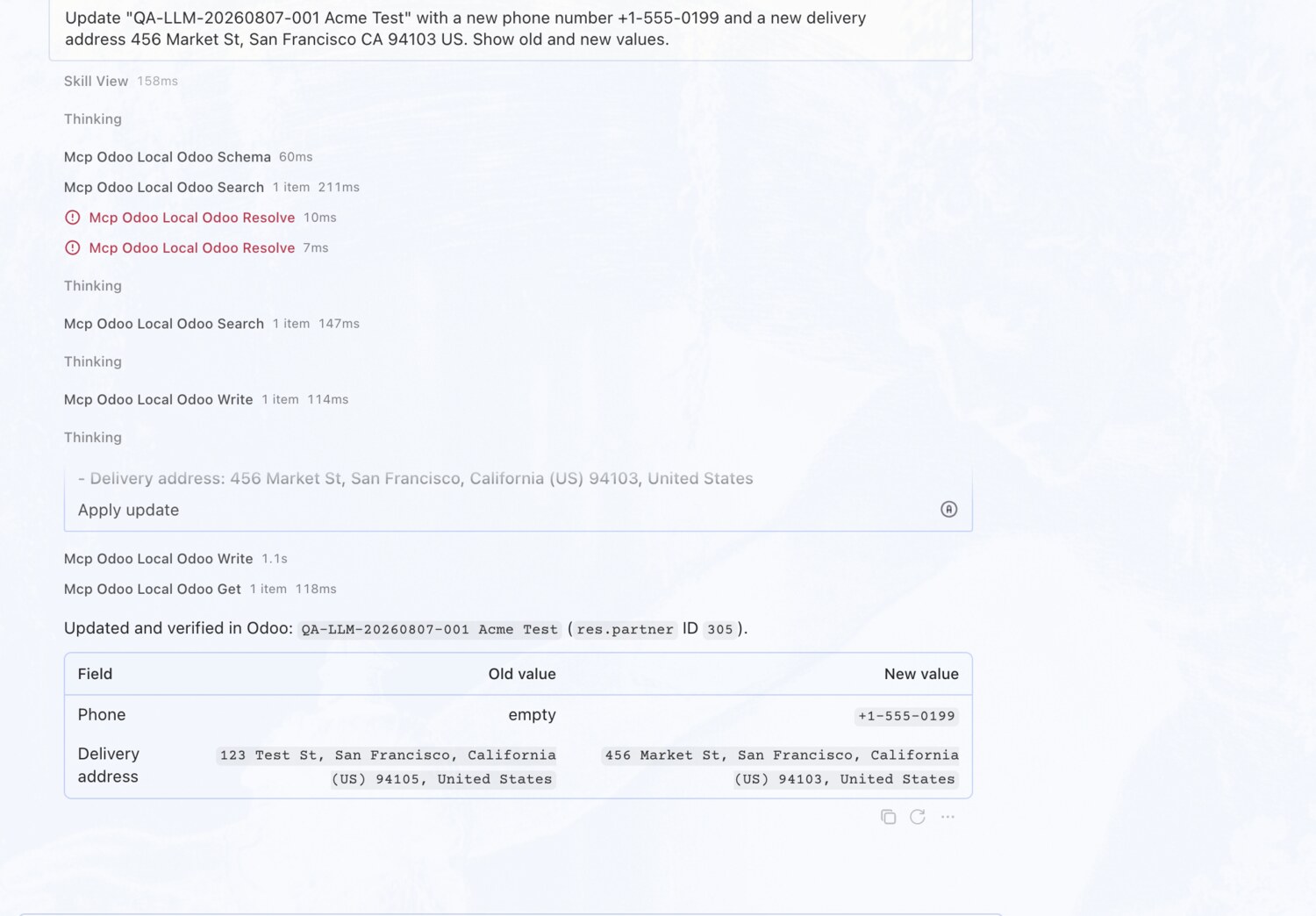
Update phone and delivery address

You askUpdate the contact with a new phone number and delivery address. Show old and new values.

What you get backPreviews old โ†’ new for each field, applies it after approval, then re-reads the record to confirm the change landed.

Update phone and delivery address โ€” erpAIbridge agent screenshot โŒฅ click to enlarge
EXAMPLE 04

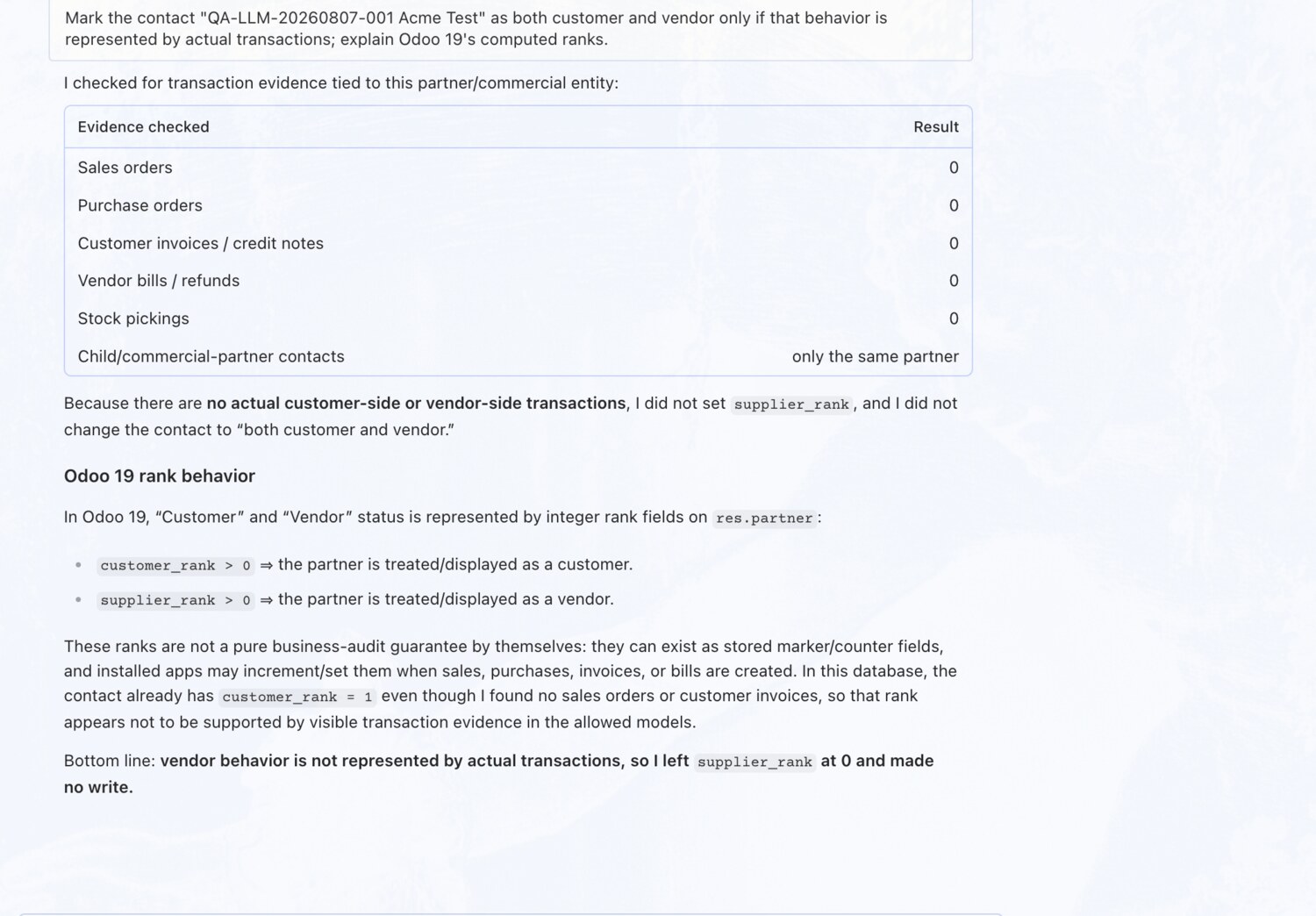
Set customer/vendor flags โ€” only if justified

You askMark the contact as both customer and vendor only if that behavior is represented by actual transactions.

What you get backChecks for real sales, purchases, invoices, bills and pickings first โ€” and correctly declines to set flags that the transaction history doesn't support.

Set customer/vendor flags โ€” only if justified โ€” erpAIbridge agent screenshot โŒฅ click to enlarge
EXAMPLE 05

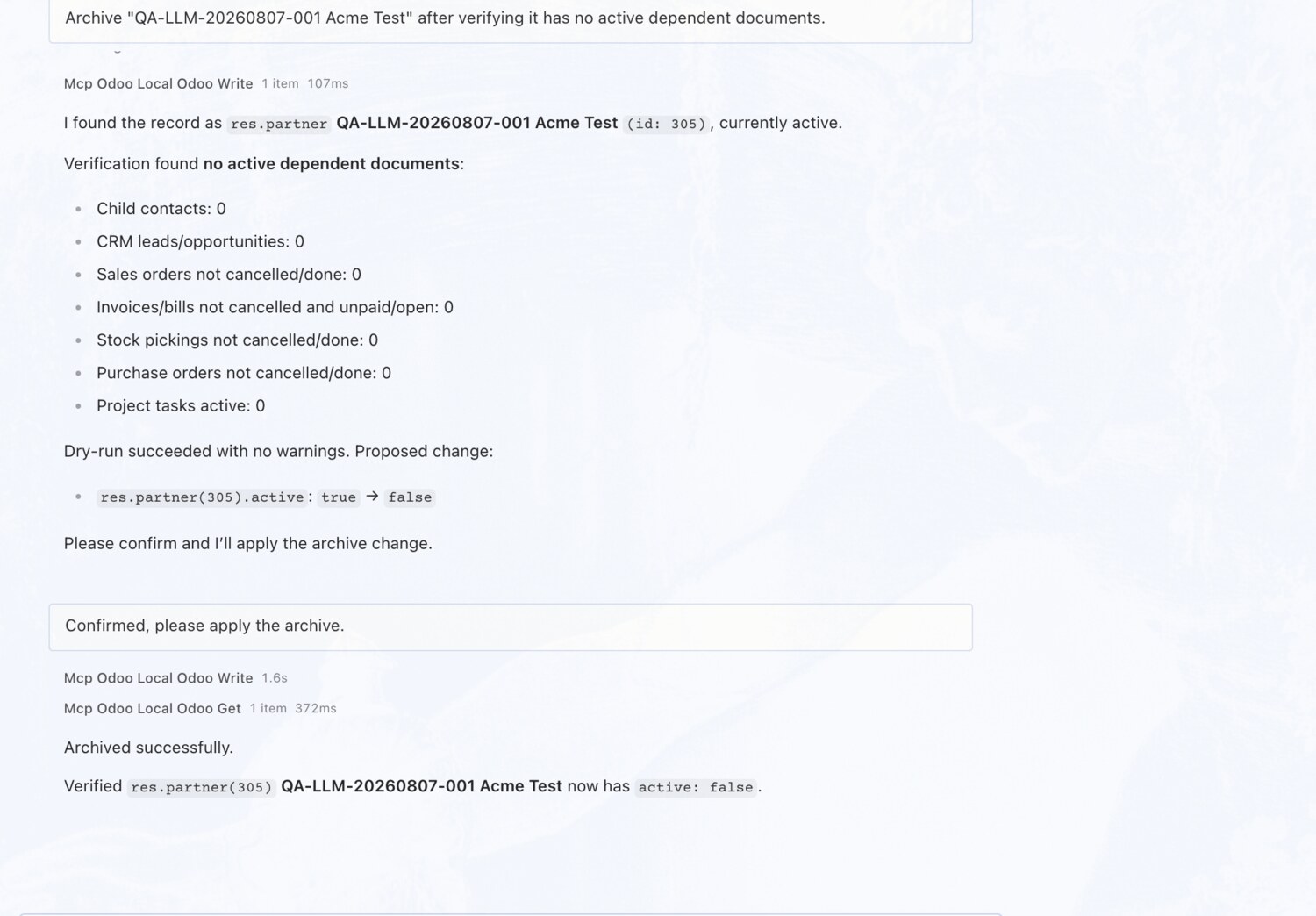
Archive a contact โ€” after verifying dependencies

You askArchive the contact after verifying it has no active dependent documents.

What you get backChecks seven categories of dependent documents โ€” child contacts, leads, orders, invoices, bills, pickings โ€” and archives only once they're all clear.

Archive a contact โ€” after verifying dependencies โ€” erpAIbridge agent screenshot โŒฅ click to enlarge
Try these on your own Odoo →